Guides
UK Passport Photo Requirements: Digital and Printed Photo Rules Explained
Few things are as annoying as a passport application held up by a photo. You fill in every form correctly, and then the photo comes back because of a shadow behind your ear or a pair of glasses with a bit of glare.
The rules themselves aren't complicated. They're just spread out and easy to misread. So here they are in one place, in plain English, checked against the official GOV.UK passport photo guidance (last updated by GOV.UK in September 2026). If anything here ever disagrees with GOV.UK, GOV.UK wins.
Digital or printed: which do you need?
It depends on how you apply.
Applying online? You need a digital photo. That's how most people renew now.
Applying with a paper form? You need two identical printed photos.
Either way, the photo must have been taken in the last month, and you need a new one for every new passport, even if you look exactly the same as last time.
UK digital passport photo requirements
There are two ways to get a digital photo for an online application:
- From a photo booth or shop. Pick the option that gives you a photo code. During your application you type in the code, and the photo is added for you.
- With your own phone or camera, during the application itself. You'll need someone to take it for you.
GOV.UK says photos from a booth or shop are more likely to be approved than ones taken on your own device, so if you're short on time, the booth is the safer bet.
Here are the technical rules for a digital passport photo. It must be:
| Rule | Requirement |
|---|---|
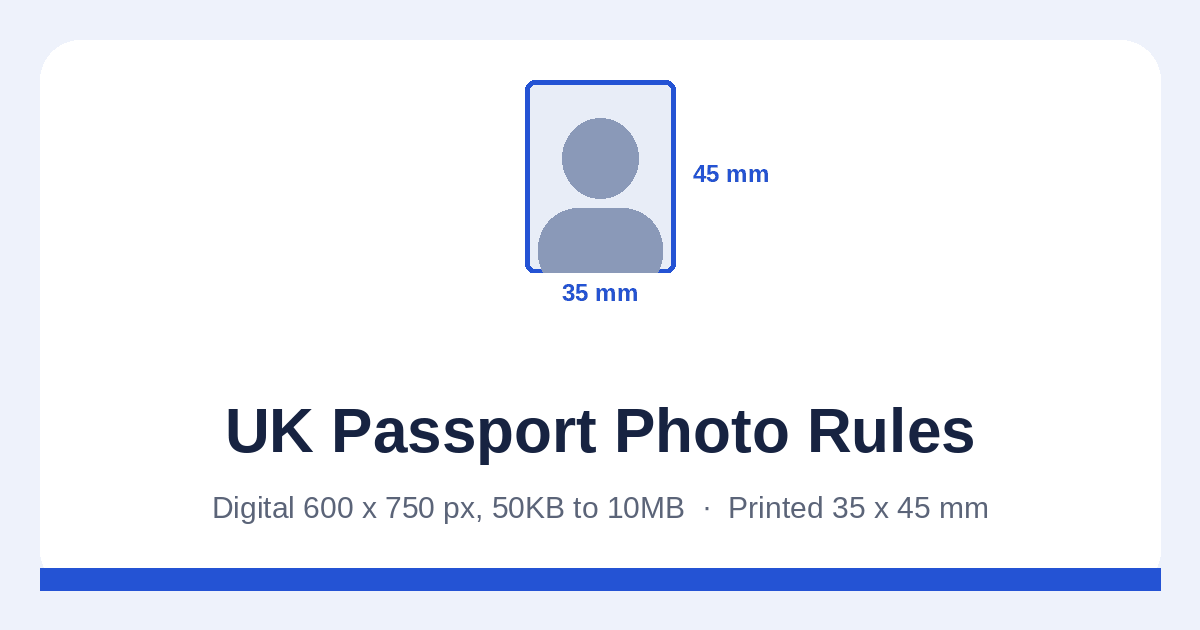
| Size in pixels | At least 600 pixels wide and 750 pixels tall |
| File size | At least 50KB and no more than 10MB |
| Color | In color, not black and white |
| Sharpness | Clear and in focus |
| Editing | Unaltered by computer software |
The good news: a photo straight from a modern phone is far bigger than 600 x 750 pixels, and usually lands comfortably between 50KB and 10MB. So for most people the size rules take care of themselves.
Don't crop it yourself. If you take the photo on your own device, include your head, shoulders and upper body, and leave it as it is. GOV.UK is explicit: the cropping is done for you.
Don't edit it either. The "unaltered by computer software" rule means no filters, no beauty mode, no background removal, no retouching. That's also why we don't suggest running a passport photo through an image editor or resizer. If your file is somehow over 10MB, the simplest fix is to take the photo again with a lower camera resolution, or use a photo booth code instead.
UK printed passport photo size: 35mm x 45mm
For a paper application you need two identical printed photos that:
- measure 45mm high by 35mm wide, the standard size from UK photo booths,
- aren't cut down from a larger picture,
- show your head, from the crown to your chin, between 29mm and 34mm high.
They also have to be printed to a professional standard on plain white photo paper with no border, in color, clear and in focus, with no creases or tears, unmarked on both sides (unless a photo needs to be countersigned), and unaltered by computer software.
If you use a photo booth outside the UK, check that it can actually print 45mm x 35mm. Many booths abroad use different sizes.
What the photo has to show
These rules apply to both digital and printed photos, and they're where most rejections happen.
The background. For a digital photo, a plain light colored background with clear contrast. For printed photos, GOV.UK says plain cream or light gray. Nothing else in the picture: no other people, no objects.
Your face. Face the camera and look straight at it, with a plain expression and your mouth closed. Eyes open and visible, no hair in front of them.
Light and shadows. No shadows on your face or behind you, and no red eye. This is the one that catches people out at home: a single window to one side throws a shadow across half your face. Stand facing the light instead.
Head coverings. Not allowed, unless they're for religious or medical reasons.
Glasses. Don't wear them unless you have to. If you do, no sunglasses or tinted lenses, and your eyes can't be hidden by the frames or by any glare, reflection or shadow. Honestly, if you can take them off for the photo, do.
Photos of babies and children
Children have to be on their own in the picture, and babies can't be holding toys or using a pacifier (GOV.UK calls it a dummy). Children under six don't have to look straight at the camera or keep a plain expression. Babies under one don't need their eyes open, and you can support their head with your hand as long as your hand isn't visible. For a baby under one, GOV.UK suggests laying them on a plain light colored sheet and taking the photo from above.
A quick checklist before you submit
- Taken in the last month?
- Facing the camera, plain expression, mouth closed, eyes open?
- Plain light background, nobody and nothing else in the shot?
- No shadows on your face or behind you?
- Glasses off, or at least no glare?
- No filters, no editing, and not cropped by you?
- Digital: at least 600 x 750 pixels and between 50KB and 10MB?
- Printed: two identical photos, 35mm x 45mm, head 29mm to 34mm?
If every answer is yes, your photo should be fine.
What about other forms with photo limits?
Passports are strict about editing, but plenty of other uploads aren't. Job portals, college applications and online accounts often just want a photo under a certain size, like 100KB or 200KB, and for those resizing is completely fine. Our guide on how to resize an image to a specific file size walks through it, and the Image Resizer does the job in a few seconds. Just keep it away from your passport photo.